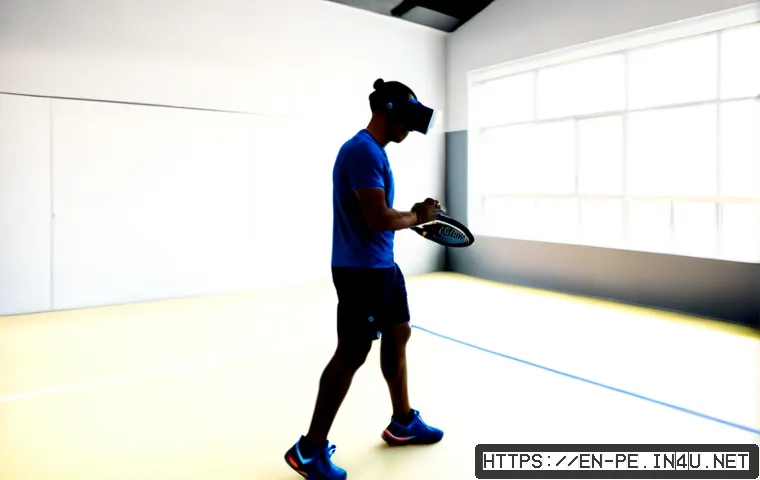
AR and VR sports training can be useful when the goal is clearer decision-making, tactical rehearsal, guided cues, or structured remote coaching—not as a replacement for physical practice.

Choose AR when athletes must stay aware of real equipment and people; choose VR when a fully simulated scenario helps isolate visual cues and decisions.
For coaches and facilities, the right purchase decision depends on the full system cost, including content, licensing, staff time, hygiene, support, and renewal terms.
A headset alone is not a training program. Start with one coaching objective, test athlete comfort and workflow, and compare the platform against simpler options such as video analysis or additional field time.
At a Glance
- VR is best suited to simulated tactical scenarios, visual cues, and decision rehearsal without a full field or court setup.
- AR is often a better fit for drills that require awareness of real teammates, equipment, and surroundings.
- Compare the complete sports-training platform: headset fit, content, coach dashboard, facility licensing, hygiene workflow, and support.
| Decision Factor | AR Training | VR Training | What to Check Before Buying |
|---|---|---|---|
| Training environment | Uses digital overlays in the real environment | Uses a computer-generated immersive environment | Whether the drill needs real equipment, teammates, or open awareness |
| Strongest fit | Technique cues and real-world drill guidance | Tactical review, visual recognition, and decision rehearsal | The specific coaching objective for each session |
| Supervision needs | Depends on the drill and environment | May need closer attention to movement, comfort, and space | Who sets up, monitors, and resets each session |
| Ongoing considerations | Content, device compatibility, and coaching workflow | Content subscriptions, hygiene, motion sensitivity, and usable space | Platform licensing, support, staff time, and renewal terms |
What Immersive Training Can—and Cannot—Add to Sports Practice
Quick answer: choose the training goal before choosing the technology
Immersive training works best when it serves a narrow, observable purpose. A coach may want an athlete to recognize visual cues sooner, review a tactical pattern, or follow a technique prompt during a drill. Those goals can help determine whether AR, VR, or a conventional coaching tool is the better match.
Do not begin with the headset. Begin with the skill gap, the coaching cue, and the session format. If the goal cannot be described clearly, a platform demo may look impressive without improving the actual coaching workflow.
Where simulated repetition supports coaching
VR can provide repeated exposure to simulated situations without requiring a full physical field or court. That can make it relevant for visual scanning, tactical scenarios, and decision-making practice. It may also give coaches a structured way to discuss what an athlete noticed and why a choice was made.
AR can support drills where athletes still need to see real surroundings. Digital guidance may fit sessions involving equipment, movement patterns, teammates, or location-based cues. In both cases, the technology is most useful when the coach can connect the experience to a real practice objective.
Why physical practice, conditioning, and feedback still matter
Immersive sessions should complement rather than automatically replace physical conditioning, technical coaching, and sport-specific practice. A simulated decision is not identical to executing under real movement, fatigue, contact, timing, or team pressure.
Use the platform as one part of the training plan. Follow a VR tactical scenario with field practice, or use AR cues within a supervised drill. This keeps the technology connected to physical execution instead of treating screen-based repetition as a complete solution.
AR vs. VR for Athletic Development: A Practical Comparison
Real-environment overlays versus fully simulated scenarios
The basic difference is straightforward. AR overlays digital information onto a view of the real environment. VR places the user in a computer-generated immersive environment. That difference affects supervision, available space, drill design, and athlete comfort.
AR may be more practical when the athlete must remain aware of nearby people and objects. VR may be a better fit when the coach wants to control the visual scenario and remove the need for a full physical setup. Neither format is automatically better; the learning context decides it.
Best uses for tactical decisions, reaction work, and technique guidance
For tactical review and scenario-based decisions, VR can be worth evaluating because it can present repeatable visual situations. For technique guidance during real drills, AR may be more natural because the athlete remains connected to equipment and surroundings.
Reaction work also needs careful definition. If the desired outcome is visual recognition or a choice between options, immersive content may help structure repetition. If the athlete needs physical speed, movement mechanics, or real-game timing, conventional drills and coaching still need to carry the main load.
Comparison table: setup, supervision, space, and learning fit
Before comparing a VR headset or sports-training platform, map the session from start to finish. Include device fitting, user onboarding, content selection, coaching observation, cleaning, athlete feedback, and reset time. A system with strong content may still be a poor facility fit if the workflow is too slow or difficult to supervise.
Costs and Value: What to Budget Beyond the Headset
Hardware, software subscriptions, and content licensing
A sports-training system may include hardware, content subscriptions, coach dashboards, analytics, and onboarding support. When comparing vendors, separate the initial equipment decision from the continuing platform commitment. Ask what content is included, what requires an additional license, and what happens at renewal.
Current pricing, availability, licensing terms, and support levels vary by provider and require direct confirmation. Review the official product information rather than assuming that a consumer headset purchase includes team-ready content or facility rights.
Facility setup, sanitation, staff training, and technical support
Facilities should also plan for usable training space, headset fit, hygiene procedures, staff onboarding, and technical support. A multi-user environment adds practical questions: Who cleans devices between athletes? Who handles updates? What happens if a headset does not fit comfortably or a user cannot continue the session?
These details affect adoption as much as the software itself. A simple operational process is often more valuable than a feature list that staff cannot use consistently.
How teams and training businesses can evaluate return on time and budget
Evaluate value through the program’s own measurable coaching objective, not through broad promises. For example, a facility can track whether sessions are being completed, whether coaches can review the relevant scenarios efficiently, and whether athletes can apply the targeted cue in later practice.
Also compare the immersive option with alternatives. A conventional video analysis workflow, coaching software, or more supervised practice time may be the better investment when the goal does not require an immersive environment.
Implementing an Immersive Training Session Safely
Start with a narrow drill and a measurable coaching objective

Start small. Choose one drill, one group of users, and one coaching question. The objective might be recognizing a tactical cue, reviewing a decision sequence, or following a technique prompt. Keep the first sessions short enough to observe comfort, understanding, and workflow.
Vendor analytics may be useful, but their accuracy, validity, and usefulness must be evaluated for the specific program. Do not collect measurements simply because a dashboard offers them.
Prepare the physical space and athlete onboarding process
Clear the training area and establish a repeatable onboarding process. Explain the drill, adjust the headset fit, confirm that the athlete understands the boundaries of the space, and give a clear option to stop if discomfort occurs. Motion sensitivity and accessibility barriers can differ from one user to another.
For younger athletes and beginners, supervision and simple instructions are especially important. The appropriate setup will depend on the equipment, content, environment, and individual user.
Common mistakes: using novelty content, ignoring comfort, and collecting unused data
A common mistake is using immersive content because it feels new rather than because it supports a coaching plan. Other problems include overlooking hygiene, forcing an uncomfortable fit, or choosing content that does not match the sport and skill level.
Another avoidable mistake is collecting data without a clear coaching use. Decide in advance what information matters, who can access it, how it fits the athlete review process, and whether the platform’s data practices meet your organization’s requirements.
Which Setup Fits Different Sports and Training Environments?
Individual athletes training at home
Individual athletes should prioritize comfort, safe available space, and content relevance. A home setup may be reasonable for structured visual or tactical rehearsal, but it should not be assumed to replace in-person coaching or sport-specific practice. Check whether the headset, content, and support model fit the athlete’s actual routine.
Coaches and private performance studios
Coaches and studios need to assess the operating workflow as closely as the athlete experience. Consider how quickly the system can be reset, whether the coach dashboard supports useful feedback, and whether each session can connect to the larger coaching plan. A trial should include normal staff, not only a vendor-led demonstration.
Teams, academies, and schools managing multiple users
Multi-user programs should focus on facility licensing, device management, cleaning procedures, staff responsibilities, privacy review, and scheduling. The strongest platform is not necessarily the one with the most features; it is the one that staff can manage safely and consistently across athletes.
Before committing, verify device compatibility, support scope, content access, and the conditions for adding or managing users.
Selection Criteria and Comparison Summary
Use this shortlist before choosing an AR or VR sports-training platform:
- Training fit: Does the content support a real tactical, decision-making, technique, rehabilitation-support, or remote-coaching objective?
- Operational fit: Can staff handle setup, supervision, sanitation, and troubleshooting within the normal session schedule?
- Athlete fit: Are comfort, fit, motion sensitivity, accessibility, and safe space addressed during a trial?
- Commercial fit: Have you reviewed hardware needs, content subscriptions, facility licensing, onboarding, support, and renewal conditions?
- Data fit: Are the available analytics understandable, useful to coaches, and appropriate for your privacy requirements?
- Alternative value: Would video analysis, coaching software, or additional field practice achieve the same goal more directly?
During a product demo, ask the vendor to show the exact content, coach dashboard, device compatibility, support process, and licensing conditions relevant to your setting. For current specifications and contract details, check the official platform page and request written clarification before purchase.
Final Thoughts
AR and VR can add structure to selected sports-training tasks, especially when coaches want repeatable visual scenarios or guided cues. The technology is most useful when it fits a specific goal and an established coaching workflow. Build the decision around athlete safety, staff capacity, content relevance, and total platform requirements. If those pieces do not align, conventional coaching tools may be the smarter choice.
Useful Things to Know
1. A headset is only one part of the system; content, licensing, onboarding, hygiene, and support can shape the real implementation burden.
2. AR keeps the athlete connected to the real environment, while VR creates a fully simulated one.
3. A trial should test normal training conditions, not just a polished demonstration.
4. Coach feedback and physical practice remain essential parts of athletic development.
Important Considerations
Whether a specific platform improves performance for a particular sport, skill level, or athlete cannot be assumed. Motion discomfort, accessibility needs, device compatibility, metric usefulness, subscription costs, and support terms require direct verification. Use immersive training as a complement to qualified coaching and physical practice, with appropriate supervision and a safe training environment.
Frequently Asked Questions
Q1. Is VR sports training worth the cost for individual athletes?
A1. It may be worth considering when the athlete has a clear use for simulated visual cues, tactical rehearsal, or decision practice and has a suitable space for safe use. The value depends on content relevance, comfort, available coaching support, and the full cost of the platform. Compare it with video analysis, coaching sessions, and sport-specific practice before deciding.
Q2. Which is better for coaching: augmented reality or virtual reality?
A2. Neither is universally better. AR may fit drills where athletes need awareness of real equipment, teammates, and surroundings. VR may fit controlled tactical scenarios and visual decision rehearsal. The better option is the one that supports the intended coaching objective and can be run safely in the available environment.
Q3. Is AR/VR sports training safe for younger athletes and beginners?
A3. Safety depends on the individual user, the device, the content, supervision, and the physical space. Start with clear instructions, appropriate supervision, a prepared area, and a simple way for the athlete to stop if uncomfortable. Check provider guidance and consider any comfort, accessibility, or compatibility concerns before using a system with younger athletes or beginners.